Honest HubSpot Review: Is It Really Worth It? (2026)

Most HubSpot reviews read like they were written by someone who used the platform for a week or someone who sells it for a living. Neither perspective helps when you are trying to make a real decision about your CRM.
We use HubSpot in live client environments every day. This review covers what the platform genuinely does well, where it creates friction, and which teams get the most value from it.
Why Trust Our HubSpot Review
We are an independent CRM agency with 30 specialists and 200+ completed projects across HubSpot, Salesforce, Dynamics, and niche-specific platforms. No vendor holds a stake in our business, so our reviews reflect what we see in real client environments, not what any partner program rewards us for saying.
Need Help Deciding on HubSpot?
Not sure if HubSpot fits your team? We help companies evaluate, implement, and optimize CRMs at no upfront cost. Reach out here and we will give you a straight answer.
HubSpot Review Key Takeaways
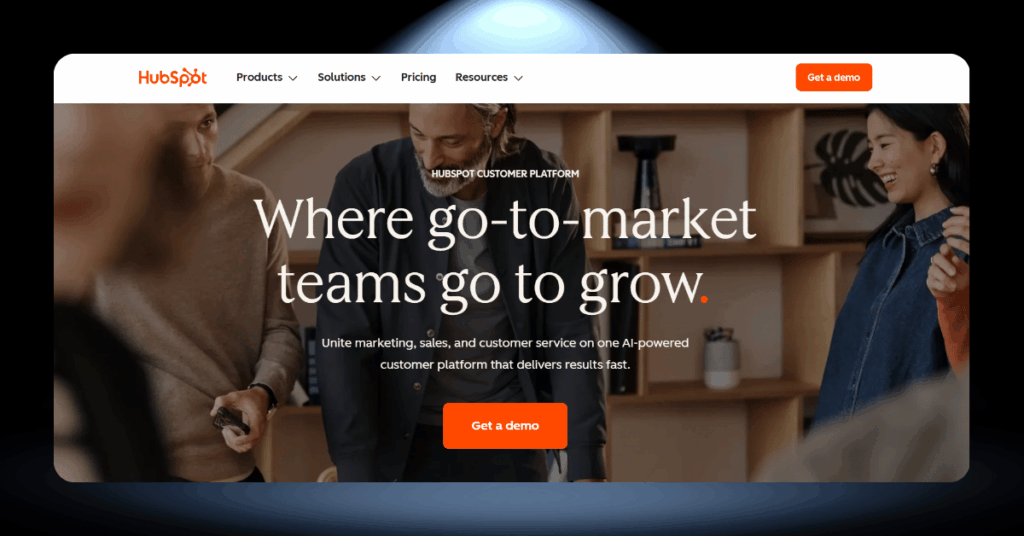
HubSpot is one of the most talked-about CRM platforms on the market, and for good reason. But the reality is more nuanced than the marketing suggests. Here is what you actually need to know before making a decision.
- Best for: Growing B2B teams needing an all-in-one platform.
- Free plan: Up to 1,000,000 contacts and unlimited deals.
- Ease of use: One of the most intuitive CRM interfaces available.
- Pricing: Starts at $20/seat/month, climbs fast on higher tiers.
- Hidden costs: Onboarding fees from $1,500 to $7,000 on top.
- Critique: Key features locked behind expensive Professional and Enterprise plans.
- Not ideal for: Freelancers, tiny teams, or heavy customization needs.
HubSpot rewards businesses that commit fully to its ecosystem and plan their growth trajectory carefully. If you go in with clear expectations about what each tier includes, it can be a genuinely transformative tool. But treat the pricing page as a starting point, not the final number.
The quick verdict: HubSpot is a powerful, well-designed CRM that shines for growing B2B companies willing to invest in the Professional tier or above. The free plan is the best in the industry for getting started. Just watch the costs as you scale.
The Core Features Of HubSpot
HubSpot organizes its tools into specialized “Hubs” that all feed into one shared CRM database. Each hub covers a different part of your business, from attracting leads to closing deals to managing support tickets. Here are the five features that matter most in day-to-day use.
1. A CRM That Your Team Will Actually Use
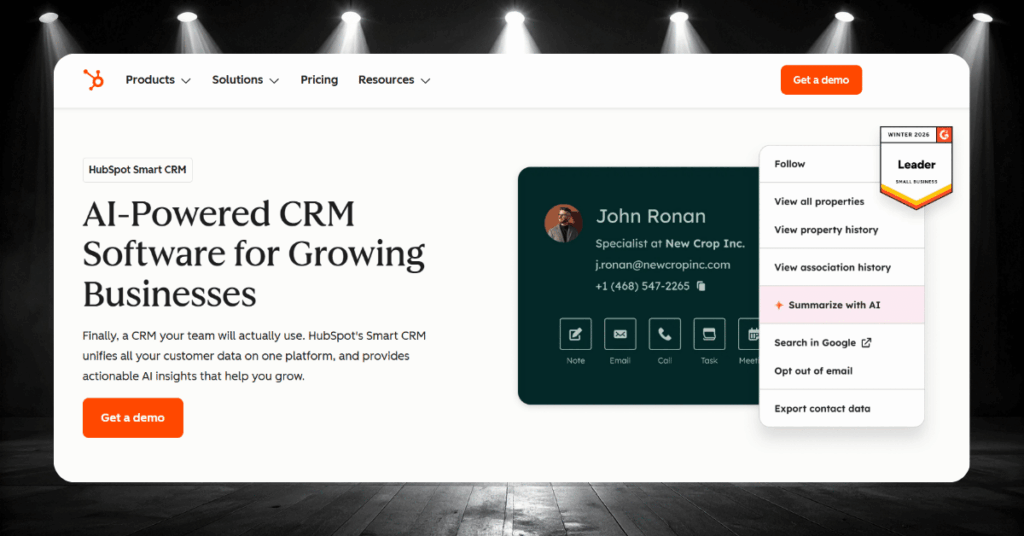
HubSpot’s CRM sits at the center of everything. Contacts, companies, deals, and tickets are all linked together, so your team sees the full picture without jumping between tools. The drag-and-drop pipeline makes deal tracking visual and fast, and the search function pulls up any record in seconds.
On the free plan, you can store up to 1,000,000 contacts and unlimited deals. Custom properties start limited at 10, but jump to 1,000 on Starter. Activity timelines on each contact record show every email, call, meeting, and note in chronological order, which keeps your entire team on the same page.
2. Marketing Hub: Campaigns Without the Tool Juggle

The Marketing Hub handles landing pages, forms, email campaigns, social scheduling, and ad management from one dashboard. The drag-and-drop email builder is clean, and A/B testing on Professional plans lets you optimize subject lines, send times, and content over time.
The catch is contact-based pricing. Your bill grows with your email list, and tier bumps can happen faster than you expect. At the Starter level, you get 1,000 marketing contacts included. Additional contacts cost $50/month per 1,000, so a list of 5,000 already adds $200 to your monthly bill.
3. Sales Hub: Close Deals With Less Busywork

Sales Hub connects to Gmail or Outlook and adds email tracking, templates, and sequences on top. You see exactly when a prospect opens your email or clicks a link. Automation on Professional plans handles lead assignment, follow-up triggers, and deal stage updates without manual input.
Deal forecasting, call logging, and meeting scheduling all live here. The built-in meeting link lets prospects book time directly from your emails, which removes the scheduling ping-pong that slows down sales cycles. For managers, the pipeline reports surface bottlenecks before they become problems.
4. Service Hub: Support That Stays Organized

Ticketing, live chat, a shared inbox, and a knowledge base builder all sit inside the Service Hub. Conversation routing on Starter plans distributes tickets to the right team members automatically based on rules you define. Customer feedback surveys help you measure satisfaction after each interaction.
There are gaps, though. Missed chats cannot continue via email without creating a separate ticket, and closed tickets do not reopen when customers reply. There is also no conversation tagging for organization. Teams with high volume may hit these limits sooner than expected.
5. Content Hub: Your Website Talks to Your CRM
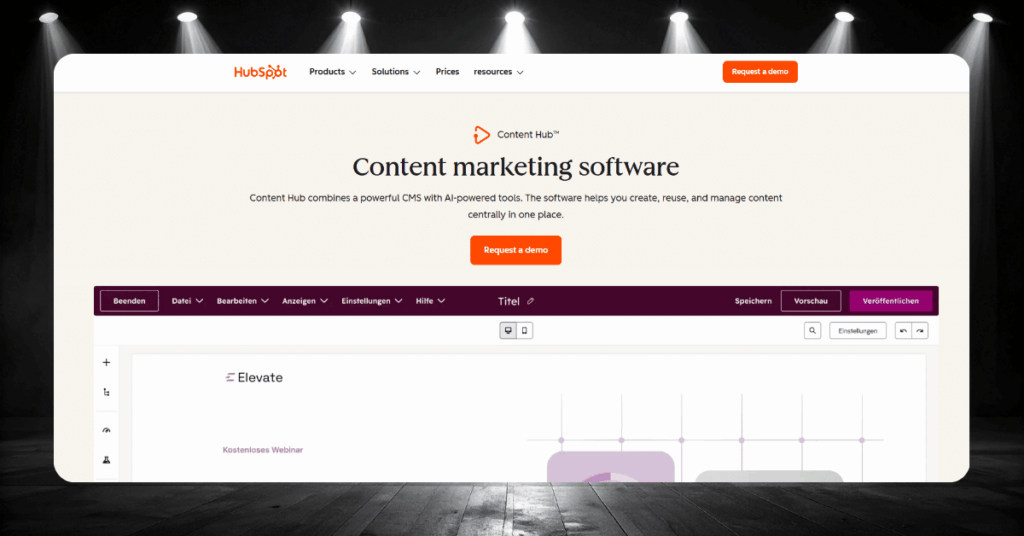
The Content Hub lets you build and manage your website inside HubSpot, with drag-and-drop editing, blog tools, SEO recommendations, and hosting included. Everything connects directly to your CRM data, which means form submissions, page views, and content downloads all feed into contact records automatically.
On Professional plans, dynamic content lets you show different messaging to different visitors based on their CRM properties. A returning lead sees a different page than a first-time visitor. You can also A/B test entire pages to find out which version converts better.
HubSpot Pricing: What It Actually Costs
HubSpot’s pricing is notoriously confusing. Six hubs, three paid tiers each, different pricing models per hub, and mandatory onboarding fees on higher plans. Here is the honest breakdown.
| Plan | Monthly Price | What You Get | Onboarding Fee |
|---|---|---|---|
| Free CRM | $0 | Up to 1,000,000 contacts, 2 users, basic tools across all hubs, HubSpot branding on everything | None |
| Starter (per hub) | $15 to $20/seat | Branding removed, 1,000 marketing contacts, 1,000 custom properties, 2 deal pipelines | None |
| Starter Bundle (all hubs) | $20/seat | All Starter hubs combined at a discounted rate, same features as individual Starter plans | None |
| Sales Hub Professional | $100/seat | Advanced automation, sequences, forecasting, custom reporting, phone support | $1,500 (one-time) |
| Marketing Hub Professional | $890 (3 seats) | 2,000 marketing contacts, A/B testing, SEO tools, workflows, campaign reporting | $3,000 (one-time) |
| Service Hub Professional | $100/seat | Knowledge base, customer portal, SLAs, advanced ticket automation | $1,500 (one-time) |
| Content Hub Professional | $500 (3 seats) | Dynamic content, A/B page testing, memberships, content remix tools | $3,000 (one-time) |
| Data Hub Professional | $800 (1 seat) | Custom field mapping, webhooks, programmable automation, data quality tools | $3,000 (one-time) |
| Customer Platform Professional | ~$1,300 (5 seats) | All Professional hubs bundled at a discounted rate | $4,500 (one-time) |
| Customer Platform Enterprise | ~$4,700 (7 seats) | All Enterprise hubs, custom objects, predictive scoring, granular permissions | $12,000 (one-time) |
The Starter Customer Platform bundle at $20/seat/month is the best entry point for small teams, since it includes every hub at a discounted rate. The jump from Starter to Professional is where the real sticker shock hits, with monthly costs multiplying five to ten times depending on the hub. All Professional and Enterprise plans require annual commitments, so there is no way to test these tiers month-to-month.
Watch Out for These Hidden Costs
The pricing table above only tells part of the story. Marketing Hub charges based on how many contacts you actively market to, and your tier bumps automatically as your list grows.
Additional contacts cost $50/month per 1,000 on Starter, $250/month per 5,000 on Professional, and $100/month per 10,000 on Enterprise. A database of 10,000 marketing contacts on the Professional plan already adds $400/month to your base price.
On top of that, add-ons pile up quietly. Extra reporting dashboards cost $200/month, increased API call limits run $500/month, and Breeze Intelligence credits for AI features start at $30/month.
Our pricing advice: Budget $20/seat/month to get started with Starter. Budget $900 to $1,300/month if you need Professional features. Then add onboarding fees ($1,500 to $12,000), projected contact growth, and at least one or two add-ons into your first-year cost estimate. The pricing page is the floor, not the ceiling.
Top HubSpot Integrations for Real-World Use
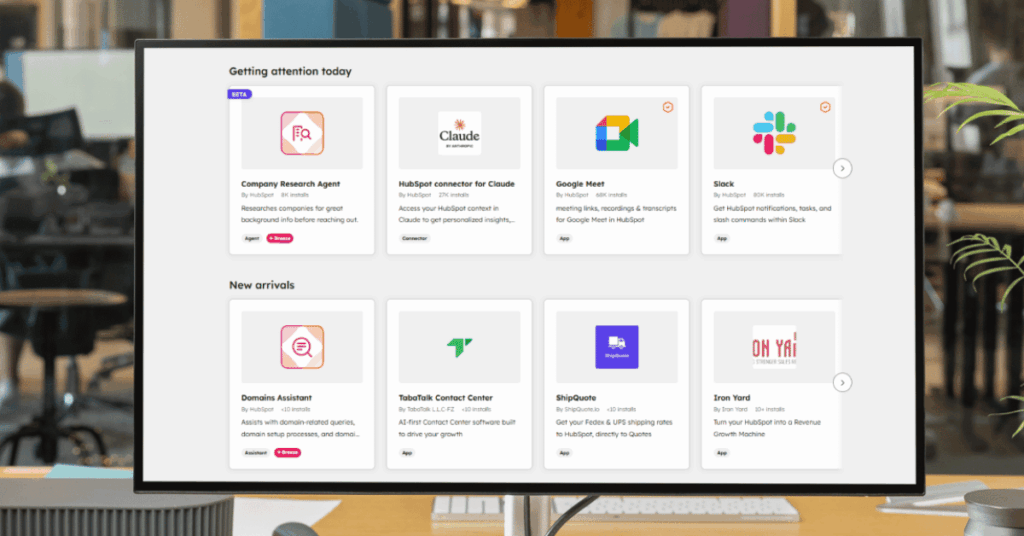
HubSpot’s marketplace offers lots of app integrations. Here are the three we see delivering the most practical value across our client base.
Salesforce + HubSpot
The native Salesforce integration syncs contacts, companies, deals, and activities bi-directionally. For organizations that run Salesforce as their primary CRM but use HubSpot for marketing, this connector keeps both systems in lockstep without manual data transfers.
The sync is customizable. You choose which records flow in each direction and set field mapping rules to prevent data conflicts.
Marketing-qualified lead handoff
Every time a deal moves past the “proposal sent” stage, a Slack notification fires in the sales managers’ channel with the deal value, contact name, and owner. Managers react, comment, or jump into HubSpot directly from the notification.
Closed-loop reporting across teams
Sales closes a deal in Salesforce, and the revenue data syncs back to HubSpot. Your marketing team can now see which campaigns actually generated closed revenue, not just leads, giving them the data they need to double down on what works.
Slack + HubSpot
The Slack integration pipes real-time CRM notifications directly into your team’s channels. Deal updates, form submissions, ticket assignments, and chat messages can all trigger Slack alerts without forcing anyone to live inside HubSpot all day.
You can also create HubSpot tasks and update deal stages from within Slack, which removes a surprising amount of tab-switching friction.
Instant deal alerts for managers
Every time a deal moves past the “proposal sent” stage, a Slack notification fires in the sales managers’ channel with the deal value, contact name, and owner. Managers react, comment, or jump into HubSpot directly from the notification.
Support ticket escalation
A high-priority ticket comes in through HubSpot Service Hub. Slack instantly pings your senior support channel with the customer name, issue summary, and a direct link to the ticket. No one misses an urgent request.
Zapier + HubSpot
With over 7,000 app connections, Zapier turns HubSpot into a universal integration platform. If HubSpot does not have a native connector for a tool you rely on, Zapier can almost certainly bridge the gap.
Common Zaps include sending new contacts to Google Sheets, triggering SMS through Twilio when deals close, and creating Asana tasks from HubSpot tickets.
Automated client onboarding
When a deal closes in HubSpot, Zapier triggers a chain: a welcome email goes out via your transactional email provider, a project is created in your project management tool, and the customer’s details land in your billing system. Zero manual steps.
Lead enrichment from form submissions
A prospect fills out a form on your site. Zapier grabs the email, runs it through a data enrichment tool like Clearbit, and pushes the company size, industry, and job title back into the HubSpot contact record before your sales rep even sees it.
Who Is HubSpot Best For?

Not every business gets the same mileage out of HubSpot. Some teams will find it fits like a glove, while others will bump into limitations within the first quarter. Here is a quick breakdown.
- Mid-size B2B companies: HubSpot’s sweet spot, especially with inbound marketing
- Startups on a budget: The free plan covers the basics surprisingly well
- Marketing-heavy teams: Email, automation, and content tools are top-tier
- Non-technical users: The interface is friendly without admin support
- Growing sales teams: Pipeline management scales nicely through Professional
- E-commerce stores: Mixed results, works best layered on Shopify or WooCommerce
- Large enterprises: Possible, but customization hits a ceiling vs. Salesforce
- Solo freelancers: Likely overkill, simpler CRMs will serve you better
The pattern is clear. HubSpot works best for teams between 10 and 200 people that need marketing, sales, and service tools connected in one place. The Professional tier unlocks the automation and reporting these teams need to scale, and the learning curve stays manageable.
Where it gets tricky is on both ends of the spectrum. Very small teams drown in features they will never touch. Very large organizations often need the deep configurability that only platforms like Salesforce or Dynamics 365 can provide.
How Does HubSpot Stack Up Against the Competition?
HubSpot does not exist in a vacuum. Depending on your team size, budget, and how much customization you need, a different platform might actually be the smarter pick.
Here is how HubSpot compares to the three alternatives we get asked about most often.
Salesforce vs. HubSpot: Power Against Simplicity
Salesforce is the heavyweight of CRM customization. It offers deeper reporting, more granular permissions, and near-unlimited configurability. But that power comes with complexity, and Salesforce typically requires dedicated admins or consultants just to keep things running.
HubSpot trades some of that depth for speed and simplicity. Teams get up and running faster, and the interface is far more intuitive for non-technical users. If your priority is ease of adoption and you do not need SQL-level reporting, HubSpot often wins.

Pipedrive vs. HubSpot: Lean Sales Machine or Full Ecosystem?
Pipedrive is a focused, sales-first CRM built for smaller teams that just need pipeline management. Pricing starts lower than HubSpot’s paid plans, and the interface is stripped-down in the best way possible.
Where HubSpot pulls ahead is its all-in-one ecosystem. If you need marketing automation, content management, or customer service tools alongside your CRM, Pipedrive simply cannot match what HubSpot offers under one roof.

Zoho CRM vs. HubSpot: Budget Suite or Polished Platform?
Zoho CRM offers similar breadth to HubSpot at a lower price point, with its own suite of marketing, sales, and service tools. Zoho’s ecosystem includes over 50 business applications, from email to project management to accounting.
The tradeoff is polish. HubSpot’s interface feels more refined, its documentation is better, and its marketplace of integrations is larger. Zoho can sometimes feel disjointed when moving between apps, whereas HubSpot feels like one cohesive product.
What Are Customers Really Saying About HubSpot?
Marketing pages and sales demos only tell half the story. The other half lives in review sites, forums, and Reddit threads where real users share what life with HubSpot actually looks like.
We dug through hundreds of reviews to surface the quotes that best represent the overall sentiment. Here is what we found.
The Happy Side: Where Users Rave
The positive reviews tend to cluster around the same themes: ease of use, the power of having everything under one roof, and how quickly teams get productive. These are not cherry-picked outliers. They reflect the majority opinion across G2, Capterra, and Gartner.
“What I love most is the all-in-one nature of the platform. It makes automating marketing tasks manageable and organized, and it integrates smoothly with CRM, content, and sales tools.”
Source: Verified user on G2
“HubSpot CRM is the easiest to start up, most organized, and has the most features. My favorite part about it is the ease of use.”
Source: Nicholas T., Sales Staffing and Recruiting, on Capterra
“HubSpot has been a complete game changer for our organization. We have been using it for over two years, as we switched over from a different marketing automation tool. There is a reason why this is the leader in the space.”
Source: Verified reviewer on Gartner Peer Insights
What We See With Our Clients
These reviews line up with what we observe across our projects. Teams that commit to using HubSpot as their central hub rather than just another tool tend to see the biggest returns. The all-in-one nature of the platform genuinely reduces friction between marketing, sales, and service.
The ease-of-use praise is well earned. We regularly see non-technical team members running complex workflows within weeks of launch, which is something that takes months on competing platforms. That fast time-to-value is HubSpot’s secret weapon.
The Frustrated Side: Where Users Push Back
The negative reviews are just as consistent. Pricing, feature gating, and contract rigidity dominate the complaints on Trustpilot and Reddit. These are not edge cases. They represent a real pattern that prospective buyers should take seriously.
“Hubspot starts off nice with a free tier, but then costs ramp up very quickly for anything meaningful. The terms for signing a yearly contract are extremely onerous.”
Source: Michael M. on Trustpilot
“Hubspot is god awful to use from a CRM perspective as a sales person. It’s slow, it’s not intuitive, and simple things that salespeople need are difficult to find.”
Source: Reddit user on r/sales
“Stay away from this CRM. You will pay hundreds of euros a month to find out basic features aren’t included like CALENDAR.”
Source: Verified buyer on Trustpilot
Our Honest Take on These Complaints
The pricing complaints are the ones we hear most often, and they are completely valid. HubSpot’s jump from Starter to Professional is steep, and the marketing contact tier model catches many businesses off guard. We have seen clients whose costs doubled within the first year because they did not plan for contact growth.
The usability criticism tends to come from sales-heavy teams who only need pipeline tools and find HubSpot’s breadth overwhelming. For those teams, a leaner CRM like Pipedrive is often a better fit. HubSpot works best when you actually use multiple hubs together, not when you force it into a single-purpose role.
HubSpot Reporting, Dashboards, and Data Intelligence
Your CRM is only as valuable as the insights you pull from it. HubSpot offers reporting at every tier, but the depth and flexibility vary dramatically depending on what you pay.
Here is what to expect and how to get the most from HubSpot’s data tools.
What the Reports Can Actually Tell You

HubSpot’s reporting tools are one of its strongest selling points, but the depth available to you depends heavily on your plan tier. On the free plan and Starter, you get access to pre-built reports and basic dashboards that cover common sales and marketing metrics.
The real power arrives at the Professional level. Custom report builders, cross-object reporting, and revenue attribution models give mid-size teams the analytics firepower they need to make data-driven decisions. You can build dashboards that pull in data from deals, contacts, marketing campaigns, and service tickets simultaneously.
- Free and Starter: Pre-built report templates, basic dashboards, limited custom properties
- Professional: Custom report builder, cross-object reporting, scheduled report emails
- Enterprise: Predictive analytics, multi-touch revenue attribution, calculated fields
- All tiers: Real-time deal tracking and basic pipeline visibility
Worth knowing: Even at the Enterprise level, some users report that HubSpot’s reporting feels less powerful than Salesforce or dedicated BI tools. If advanced analytics is your top priority, evaluate the reporting capabilities closely before committing.
Building Dashboards That People Actually Use
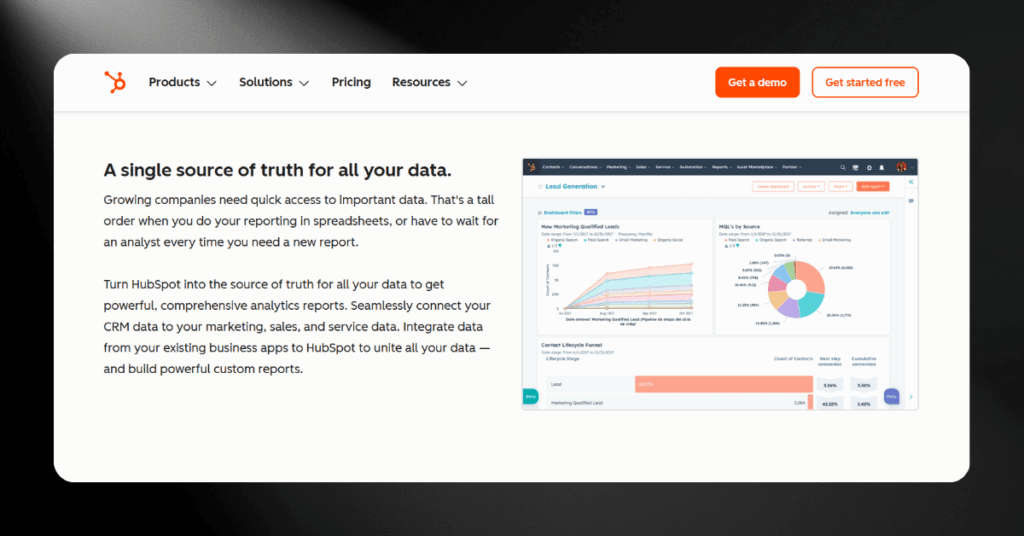
A dashboard is only useful if people actually look at it. HubSpot makes it easy to build dashboards, but the challenge is building the right ones. Too many widgets and your team tunes out. Too few and they miss critical signals.
We recommend starting with three core dashboards and expanding from there once your team gets comfortable. Keep each dashboard focused on a single audience or function rather than trying to make one dashboard do everything.
Include deal stage distribution, average time in each stage, win rate by owner, and forecasted revenue. This gives your sales managers the at-a-glance view they need to intervene early when deals stall.
Track website traffic sources, email open and click rates, form submission volume, and campaign ROI. This helps your marketing team see what is working and where to double down.
Three Dashboard Mistakes to Avoid
After setting up dashboards across dozens of HubSpot implementations, we see the same mistakes come up again and again. Avoiding these three will save your team from dashboard fatigue and keep your reporting trustworthy.
#1 Cramming Everything Into One View
A single dashboard with 20 widgets helps nobody. Each dashboard should serve one audience with one purpose. Build separate views for sales, marketing, service, and leadership rather than forcing everyone to scroll past data that does not concern them.
#2 Ignoring Data Hygiene
Your dashboards are only as good as the data behind them. If your team is not logging activities, updating deal stages, or keeping contact records clean, every chart on your dashboard becomes unreliable. Set clear data entry expectations before you build your first report.
#3 Never Revisiting After Launch
The dashboards you build in month one will not match what your team needs in month six. Schedule a quarterly dashboard review to remove metrics that no longer matter, add new ones that reflect current goals, and make sure the numbers still tell an accurate story.
Verdict: Is HubSpot Really Worth It?
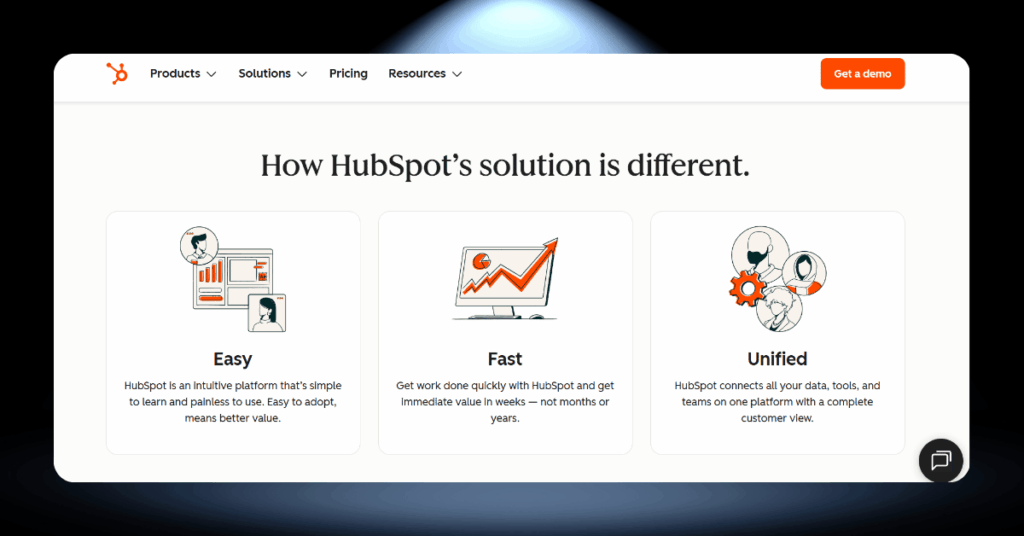
HubSpot is a powerful, well-designed CRM that deserves its spot at the top of most recommendation lists. The free plan is extraordinarily generous, the user interface sets the standard for the industry, and the all-in-one ecosystem genuinely reduces tool sprawl for growing teams.
But it is not for everyone. The pricing model rewards commitment and punishes uncertainty. If you are not ready to go all-in on the HubSpot ecosystem, the costs can feel disproportionate to the value you extract. Solo freelancers, sales-only teams, and businesses on tight budgets will likely find better options elsewhere.
Our final word: For growing B2B companies that need marketing, sales, and service connected under one roof, HubSpot is absolutely worth it. Start with the free plan, test the Starter bundle, and only upgrade to Professional once you have a clear picture of which hubs your team actually uses every day.
HubSpot Review FAQ
Let’s Sort Out Your CRM
Still unsure whether HubSpot is the right fit? Or maybe you already know, and you need help getting it set up the right way.
Our team at CRM360 works with businesses every day to choose, implement, and optimize the right CRM for their needs, without vendor bias.
Get in touch with us here and let’s build something that actually works for you.