Is HubSpot Secure, Safe to Use & Legitimate?


Asking whether HubSpot is secure is not a silly question. You are handing over customer data, payment details, and internal communications to a third-party platform. Before you do that, you deserve a clear answer about how that data gets protected.
We looked into HubSpot’s security infrastructure, compliance certifications, and real-world track record so you do not have to piece it together from scattered support articles.
Why Trust Us on CRM Security
At CRM360, we configure and migrate sensitive data for a living. Across 200+ projects in industries like healthcare, finance, and retail, our 30 specialists have seen what good platform security looks like in practice, not just on a compliance checklist.
Need a CRM That Meets Your Security Standards?
If security requirements are shaping your CRM decision, we can help you evaluate which platform actually checks your boxes. Reach out here and we will walk through it with you at no cost.
Is HubSpot a Legitimate and Trustworthy Company?
HubSpot is a publicly traded company on the New York Stock Exchange, led by CEO Yamini Rangan and backed by nearly two decades of continuous operation. They publish quarterly earnings, file with the SEC, and maintain a Trust Center where anyone can download their security reports.
With $3.1 billion in trailing revenue, 288,000+ customers across 135 countries, and workplace awards from Forbes, TIME, and Newsweek, this is a company that operates under heavy public scrutiny. That alone doesn’t guarantee your experience will be perfect, but it does confirm you’re dealing with a legitimate, accountable business.
HubSpot at a Glance: Key Company Facts
| Detail | Information |
|---|---|
| Full Company Name | HubSpot, Inc. |
| Founded | 2006 (by Brian Halligan & Dharmesh Shah at MIT) |
| CEO | Yamini Rangan |
| Headquarters | Cambridge, Massachusetts, USA |
| Global Offices | Dublin, Berlin, London, Singapore, Sydney, Tokyo, Bogotá, and others |
| Stock Ticker | HUBS (NYSE) – publicly traded since 2014 |
| Annual Revenue | ~$3.1 billion (trailing twelve months) |
| Employees | ~8,800+ |
| Customers | 288,000+ in 135+ countries |
| Core Products | Marketing Hub, Sales Hub, Service Hub, Content Hub, Operations Hub, Commerce Hub |
| Hosting Infrastructure | Amazon Web Services (AWS) |
| Data Center Options | US East Region; EU (Frankfurt, Germany) |
| Security Certifications | SOC 2 Type II, SOC 3, PCI-DSS |
| Compliance | GDPR tools included; not HIPAA compliant |
| Free Plan Available | Yes (with limited features and HubSpot branding) |
HubSpot also publishes full SEC filings, operates a downloadable Trust Center with security reports, and has earned workplace recognition from Forbes, TIME, and Newsweek. These aren’t guarantees that everything will go smoothly, but they confirm you’re working with a company that answers to regulators, shareholders, and public opinion.
Bottom Line: HubSpot is a publicly traded, independently audited company with $3.1B in revenue, 288,000+ customers, and nearly two decades of operation. By every standard business measure, it is a legitimate and trustworthy company.
Is HubSpot Actually Secure and Safe To Use?
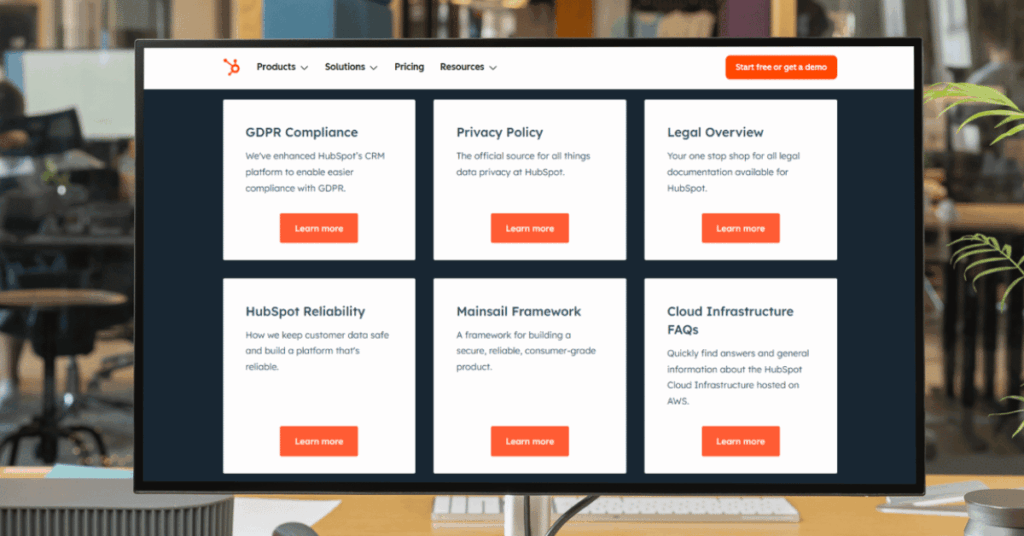
For most businesses, yes. HubSpot holds a SOC 2 Type II certification, meaning an independent auditor has confirmed their security controls work properly over sustained periods. They encrypt data in transit (TLS 1.2/1.3) and at rest, run everything on Amazon Web Services infrastructure, and offer an EU data center in Frankfurt for regional data residency.
HubSpot is also PCI-DSS compliant and ships with built-in GDPR tools including consent tracking, permanent record deletion, and signed Data Processing Agreements.
The gaps matter, though. HubSpot is not HIPAA compliant and won’t sign Business Associate Agreements. They also don’t support customer-managed encryption keys. For healthcare or enterprises with strict data sovereignty policies, those are real blockers.
Quick Summary: SOC 2 Type II certified, TLS encryption, AWS-hosted, GDPR tools included, PCI-DSS compliant. Not HIPAA compliant. No customer-managed encryption keys. Safe for most businesses, but check your specific compliance requirements first.
Is Your Data Safe with HubSpot?
HubSpot’s product systems run entirely on AWS infrastructure, which itself holds SOC 2 Type II and ISO 27001 certifications. That means there’s a verified security layer underneath HubSpot before their own controls even kick in.
Here’s what protects your data inside the platform:
- TLS 1.2/1.3 encryption in transit
- Volume-level and field-level encryption at rest
- Role-based access controls
- Two-factor authentication
- Single sign-on (SSO) support
- Audit logs for all user activity
- A dedicated CISO-led security team
That said, HubSpot operates on a shared responsibility model. They secure the platform, but weak passwords, sloppy user permissions, and poorly managed integrations on your end are your problem, not theirs.
Key Takeaway: HubSpot commits to 99.95% uptime, encrypts data both at rest and in transit, and runs on AWS with full redundancy across multiple availability zones. Infrastructure-wise, your data is well protected. The weak link is almost always the human configuration side.
How Reliable is HubSpot Really?
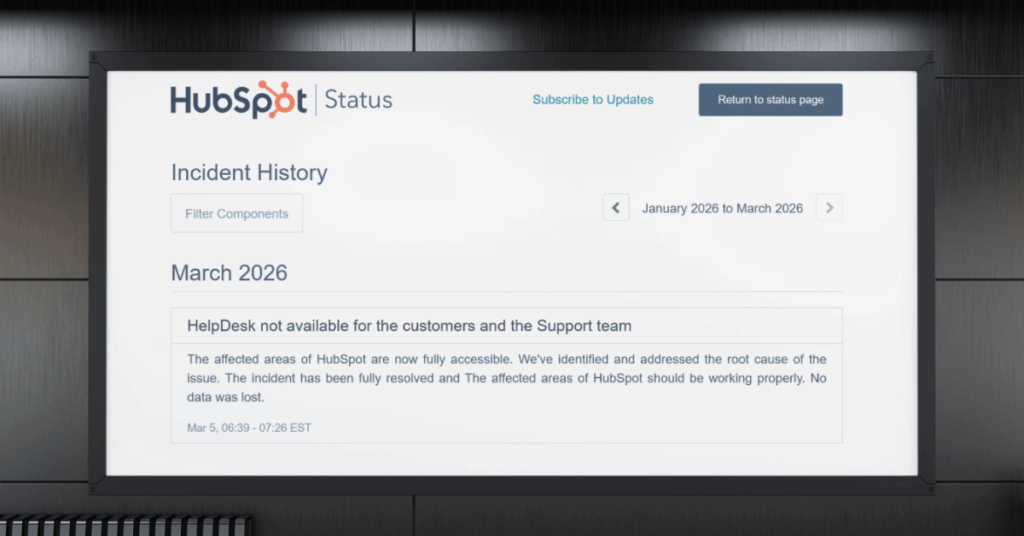
HubSpot’s infrastructure reliability is excellent. They run on AWS with full redundancy across multiple availability zones and commit to 99.95% uptime. Real-world performance generally matches that promise.
Where reliability gets shakier is the user experience. Reviewers report modules breaking after updates, integration sync delays, and interface changes rolling out without warning. These aren’t server outages, but they affect daily workflows.
The bottom line: trust the infrastructure, but expect occasional feature-level hiccups, especially if you rely on complex automations and third-party integrations.
The Reputation of HubSpot (What People Really Think)
HubSpot’s reputation depends heavily on where you look. On G2, it holds a 4.4 out of 5 across nearly 35,000 reviews. On Trustpilot, it sits at roughly 1.9 out of 5 from around 1,000 reviews.
That gap isn’t random. G2 and Capterra attract users who are actively working with the tool, while Trustpilot tends to draw people who hit a wall and need to vent. Both perspectives are worth hearing.
Where HubSpot’s Reputation Is Strong
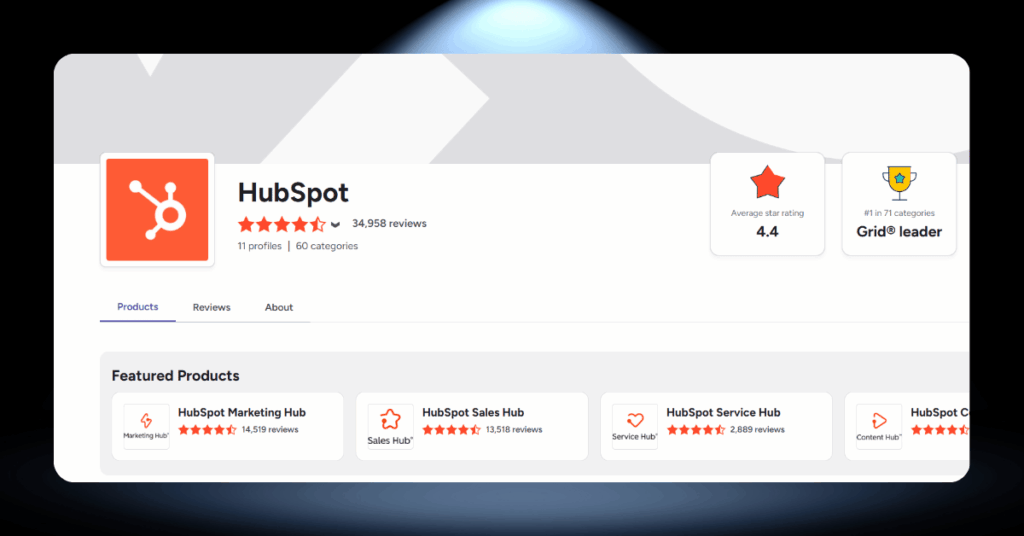
Users consistently praise the platform’s clean interface and fast onboarding. According to G2 data, about 88% of reviewers rate HubSpot 8 out of 10 or higher, and over 70% specifically call out ease of use as the primary reason they stick with it.
The all-in-one architecture also gets high marks. Teams that use marketing, sales, and service hubs together report better cross-department visibility and fewer data silos compared to stitching together separate tools.
“HubSpot is easily organized and very user-friendly. As someone who has used 3 different CRM tools in the past 3 years, HubSpot stands out as having the simplest layout to navigate and easiest learning curve.” – Alexandria S., via G2
Where HubSpot’s Reputation Suffers
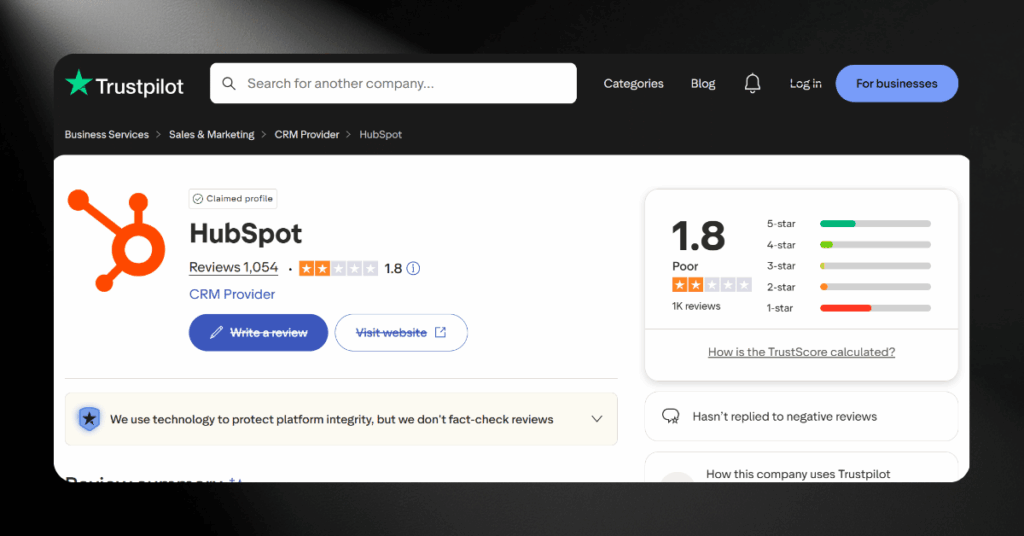
Pricing and support are the two biggest pain points. Multiple reviewers describe a pre-sale experience that feels attentive and personal, followed by post-sale support that feels slow and impersonal. Phone support is only available on Professional plans and above.
Contract rigidity is another sore spot. Users report being auto-renewed without clear warning, having contact tiers upgraded mid-contract, and finding it difficult to cancel even when the platform wasn’t meeting their needs.
“I’ve been using HubSpot daily for around 5 years now as a marketing executive and find it absolutely awful to use. It’s so clunky, restrictive and confusing. Modules break constantly.” – Verified user, via Trustpilot
HubSpot’s Market Position
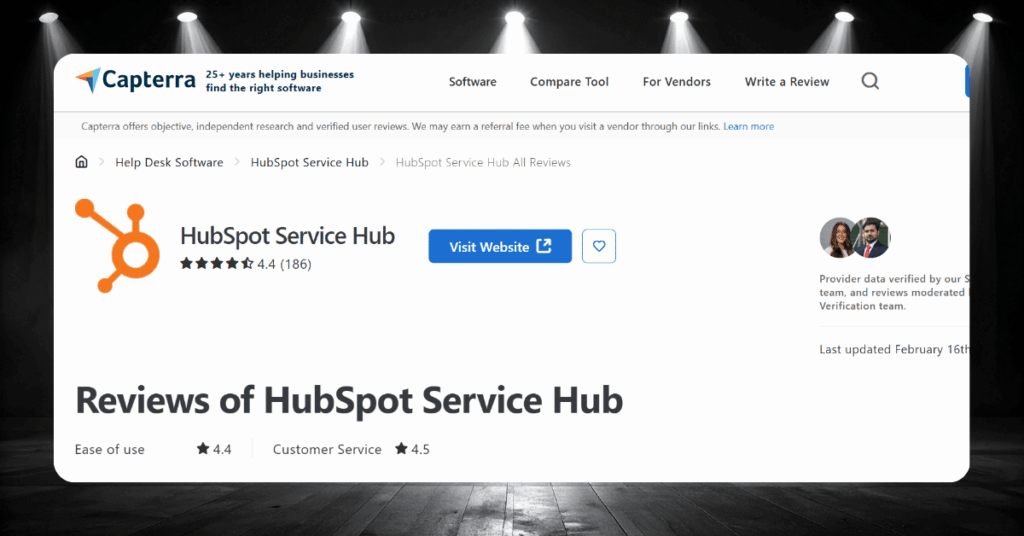
HubSpot holds an estimated 29% to 35% share of the marketing automation market, making it one of the dominant players alongside Salesforce and Adobe. On G2’s category rankings, HubSpot consistently places in the top three for CRM, marketing automation, and sales enablement.
The platform’s sweet spot is the mid-market. It’s powerful enough for growing companies that need serious automation, but not as deeply customizable as Salesforce for large enterprises with complex, multi-layered requirements.
“Sure their upsell growth strategy is ridiculous… but their CRM is second to none! The platform’s never ending ‘evolve’ mindset is exactly what is needed in the ever-changing technology landscape.” – Verified user, via Capterra
Who Loves It vs. Who Regrets It
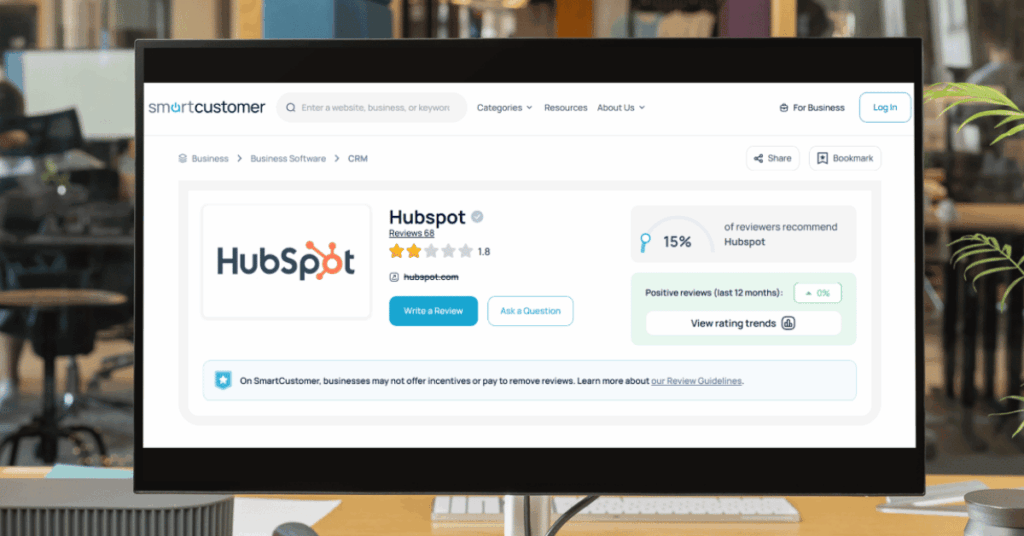
The pattern across thousands of reviews is clear. Teams with dedicated CRM operators, real budgets, and a genuine need for marketing-sales alignment tend to love HubSpot. It fits their workflow and the ROI is visible within months.
Solo founders, freelancers, and small teams on tight budgets tend to regret the purchase. The complexity overwhelms them, the costs escalate beyond expectations, and they end up paying for a tool they barely use to its potential.
“Absolute scam of a product for small businesses. It convinces you that it will solve all these problems and would be a great product if you had a full-time dedicated staff member just managing it.” – Verified user, via Smartcustomer
Reasons People Shouldn’t Use HubSpot
HubSpot is a strong platform, but it’s not the right fit for everyone. There are some clear situations where choosing it would create more headaches than value.
If any of the following describe your situation, you should probably look elsewhere:
- You’re a solo founder or freelancer who needs a simple, lightweight CRM
- You handle HIPAA-regulated data (HubSpot won’t sign a BAA)
- You can’t afford the jump from Starter to Professional pricing
- You require customer-managed encryption keys
- You don’t have a dedicated person to manage the CRM
- You need SQL-level reporting and deep customization
- You want month-to-month flexibility without annual lock-in
- You’re in a regulated industry that needs compliance certifications HubSpot doesn’t hold
- You prefer a CRM where all core features are available without tier upgrades
None of these are failures of HubSpot as a product. They’re mismatches between what the platform offers and what certain businesses actually need. The worst CRM decision you can make is choosing a tool that doesn’t fit your situation, no matter how popular it is.
The Short Version: HubSpot works best for growing mid-market teams with budget and dedicated CRM resources. If that’s not you, simpler and cheaper alternatives like Pipedrive, Zoho, or Freshsales may be a better starting point.
What Risks Are Associated with HubSpot?
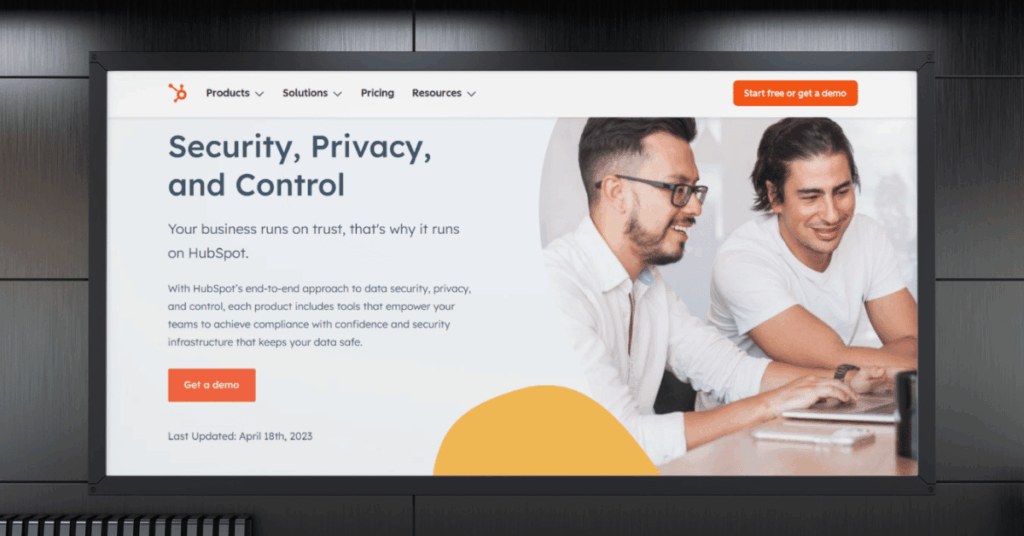
No platform is risk-free, and HubSpot is no exception. Before committing your data and your budget, it’s worth understanding where the real exposure sits.
Some of these risks are security-related. Others are financial or operational. All of them are worth factoring into your decision.
Keep in mind that none of these risks are unique to HubSpot. Most cloud CRM platforms share similar concerns. But knowing them upfront lets you plan around them rather than getting caught off guard after you’ve signed.)
The Hidden Costs of HubSpot Most People Miss
HubSpot’s pricing page shows you the monthly subscription. What it doesn’t show you is everything that gets added on top. Between onboarding fees, contact tier upgrades, and seat costs, the real bill can be two to three times what you expected.
Here are the three costs that catch people off guard most often.
1. Mandatory Onboarding Fees You Can’t Skip
Professional and Enterprise plans come with required onboarding fees. Marketing Hub Professional charges $3,000 upfront. Marketing Hub Enterprise costs $7,000. Sales and Service Hubs add their own fees on top of that, ranging from $1,500 to $3,500 per hub.
These fees are non-negotiable unless you hire a HubSpot-certified partner instead. Either way, you’re paying for onboarding before you’ve even logged in. For a CRM Suite at Enterprise level, combined onboarding can hit $12,000.
The surprise factor most teams don’t see coming
Most teams budget for the monthly subscription and discover the onboarding fee at checkout. It’s not hidden exactly, but it’s easy to overlook until you’re already committed to the purchase.
2. Contact Tiers That Auto-Upgrade Mid-Contract
HubSpot bills based on your number of marketing contacts, and tiers auto-upgrade the moment you cross a boundary. You get billed immediately for the next tier, and you can’t downgrade until your contract renews.
Users have reported unexpected charges of hundreds or even thousands of dollars because a campaign brought in more signups than anticipated. Additional contacts are sold in increments, and the pricing varies by plan: $250 per month for 5,000 extra contacts on Professional, for example.
What makes this so frustrating for users
Unlike most SaaS products where you approve upgrades manually, HubSpot’s contact billing increases automatically. If you’re not actively monitoring your contact count, the bill grows without a single click from your side.
3. Seat Costs and Add-Ons That Stack Quietly
Professional plans include a small number of core seats (typically 3 to 5). Every additional seat costs $50 to $75 per month. For a team of 15 on a Professional plan, seat costs alone add several hundred dollars monthly. And if you mix Professional and Enterprise products, all core seats default to the higher Enterprise rate.
Then there are the add-ons. AI-powered features run on a credit system that resets monthly with no rollover. Breeze Intelligence (data enrichment) costs $45 per month. HubSpot’s own consulting starts at $500 per month and goes up to $3,200 for premium packages.
How this quietly doubles your real spend
Each cost looks small in isolation. But seats plus contacts plus credits plus consulting adds up to a total ownership cost that can dwarf the base subscription. Teams that budget only for the sticker price end up scrambling when the real invoices arrive.
How HubSpot Compares to Other CRMs on Security and Trust
Choosing a CRM isn’t just about features. It’s about finding the right balance between security, price, flexibility, and long-term fit. Here’s how HubSpot stacks up against the alternatives across the factors that matter most.
Security Posture Across Major CRM Platforms
All major CRM platforms take security seriously, but their approaches differ. Salesforce, Microsoft Dynamics 365, and ServiceNow each hold SOC 2 Type II certifications along with ISO 27001. HubSpot meets SOC 2 Type II as well, though its AWS infrastructure providers hold the ISO 27001 certification rather than HubSpot directly.
Salesforce and Dynamics 365 both offer HIPAA compliance options, which HubSpot does not. For healthcare, financial services, and government sectors with strict regulatory requirements, this can be a deciding factor. ServiceNow offers FedRAMP authorization for government use cases, another area where HubSpot doesn’t compete.
- Best for healthcare compliance: Salesforce or Microsoft Dynamics 365
- Best for government: ServiceNow or Salesforce (FedRAMP)
- Best for mid-market ease of use: HubSpot
- Best for enterprise customization: Salesforce or Dynamics 365
HubSpot’s Safety for Regulated Industries
One of the biggest questions businesses ask is whether HubSpot is safe enough for their specific industry. The answer depends entirely on what regulations you’re subject to. HubSpot covers a lot of ground, but there are clear gaps that matter for certain sectors.
Here’s a straightforward breakdown of where HubSpot meets the bar and where it falls short.
HubSpot checks the box for businesses that need SOC 2 Type II verification, GDPR-ready tooling, PCI-DSS compliant payment processing, and TLS-encrypted data handling. Financial services firms under SEC or FINRA oversight can use HubSpot for client relationship management, and e-commerce companies can safely process transactions through HubSpot’s certified payment partners. Marketing agencies, SaaS companies, consulting firms, and most B2B businesses operate comfortably within HubSpot’s compliance coverage.
HubSpot is not HIPAA compliant and will not sign a Business Associate Agreement, making it a hard no for healthcare organizations that handle protected health information. It lacks FedRAMP authorization, which rules it out for U.S. government agencies with strict cloud security requirements. HubSpot also doesn’t hold a direct ISO 27001 certification (their AWS infrastructure does, but HubSpot itself does not), and they don’t support customer-managed encryption keys, which can be a dealbreaker for defense, aerospace, and highly regulated financial institutions.
Honest Verdict: Should You Use HubSpot?
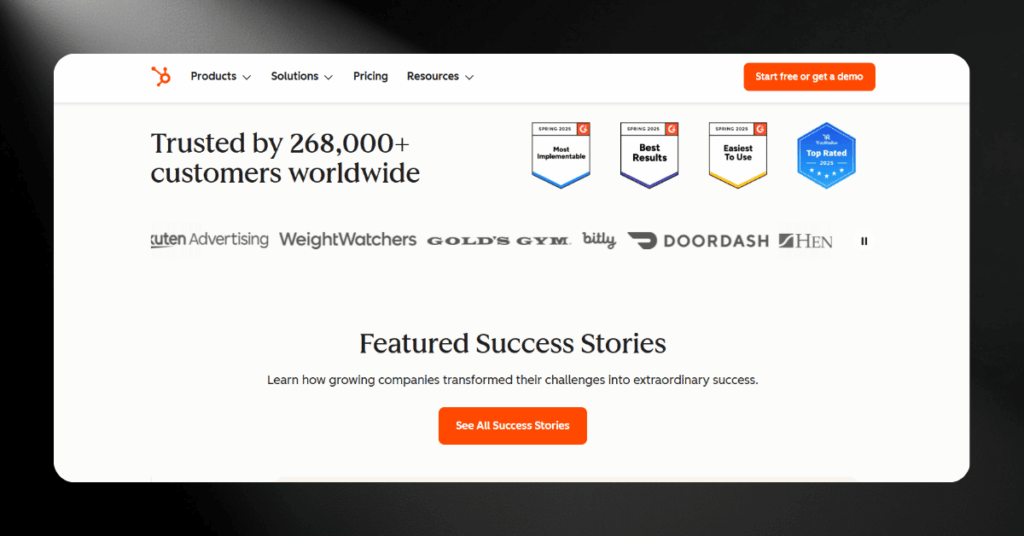
HubSpot is a secure, legitimate, and well-built platform that delivers real value for growing businesses with dedicated CRM resources. The security certifications are solid, the feature set is deep, and the all-in-one architecture genuinely reduces data silos.
But it’s not for everyone. Solo founders, bootstrapped startups, and businesses in heavily regulated industries like healthcare will hit real limitations. The hidden costs add up fast, the contracts reward commitment over flexibility, and the platform demands someone on your team who owns the configuration.
Our recommendation? Go in with open eyes. Understand the full cost of ownership. And if you’re unsure whether HubSpot fits your specific situation, get an unbiased opinion before you sign.
Bottom Line: HubSpot is safe, legitimate, and powerful. It’s the right choice for mid-market teams ready to invest in a CRM they’ll actually use. For everyone else, cheaper and simpler alternatives exist.
HubSpot Security FAQ
Worried About CRM Security?
If you’ve made it this far, you’re serious about getting this decision right. That’s exactly the mindset we respect.
Whether you’re evaluating HubSpot, considering a migration, or trying to figure out if your current setup is actually secure, our team is ready to help.
We’ve guided over 200 companies through CRM decisions just like this one. No sales pitch. No vendor bias. Just honest answers from people who do this every day. Get in touch with us here.